Product tour

Ten screens, one accountable workflow.

Each image is an illustrative synthetic demo for a fictional practice, with invented names and example.com addresses. It is not live data.

Click any screenshot to open the full-resolution image in a new tab. You can then zoom in for a closer look.
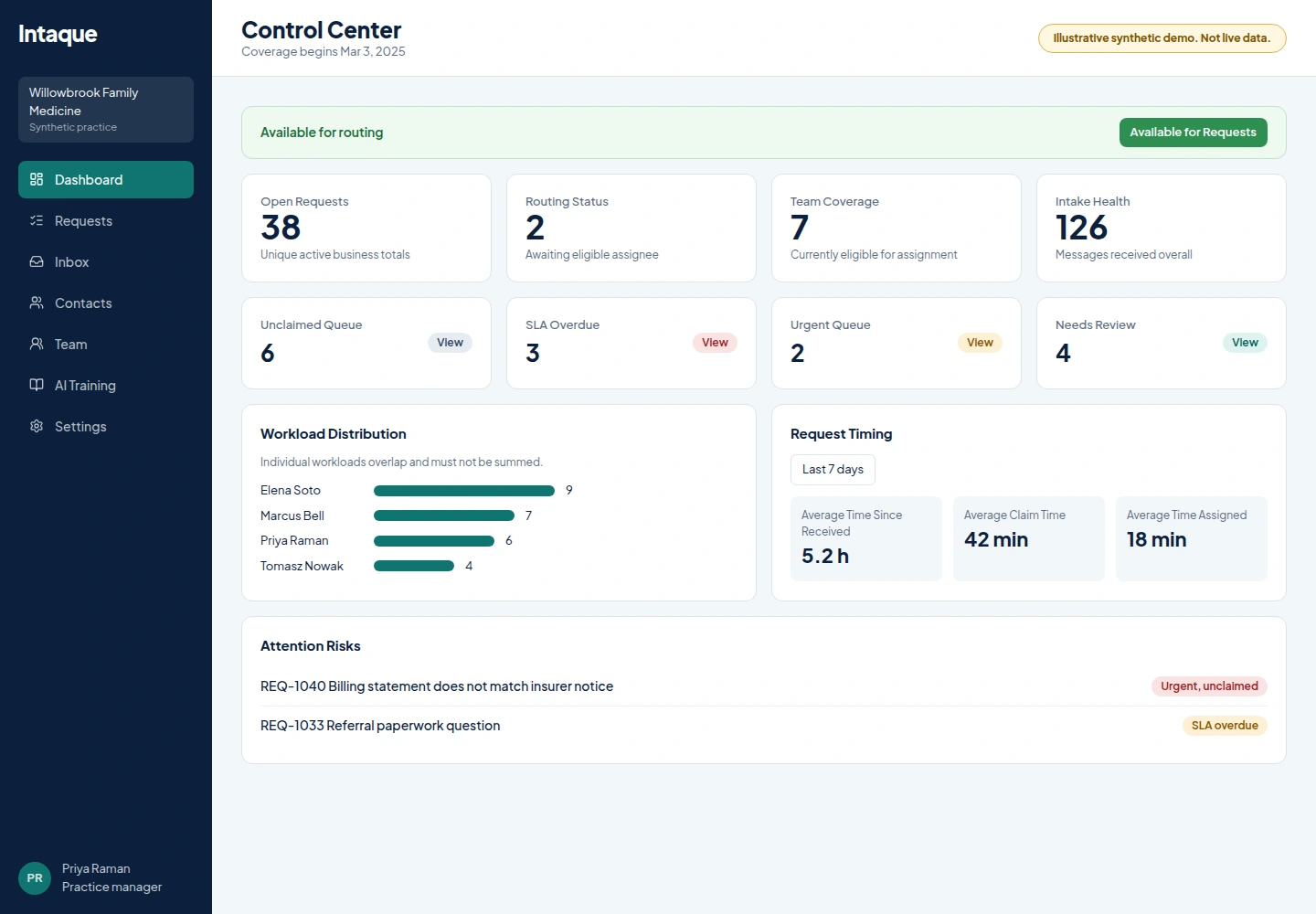
Illustrative Intaque Control Center for a synthetic family medicine practice showing open requests, group availability, workload and attention risks
Control Center. A practice manager sees which office teams have coverage, what is unclaimed and what is at risk, without opening every inbox. Illustrative synthetic demo, not live data.
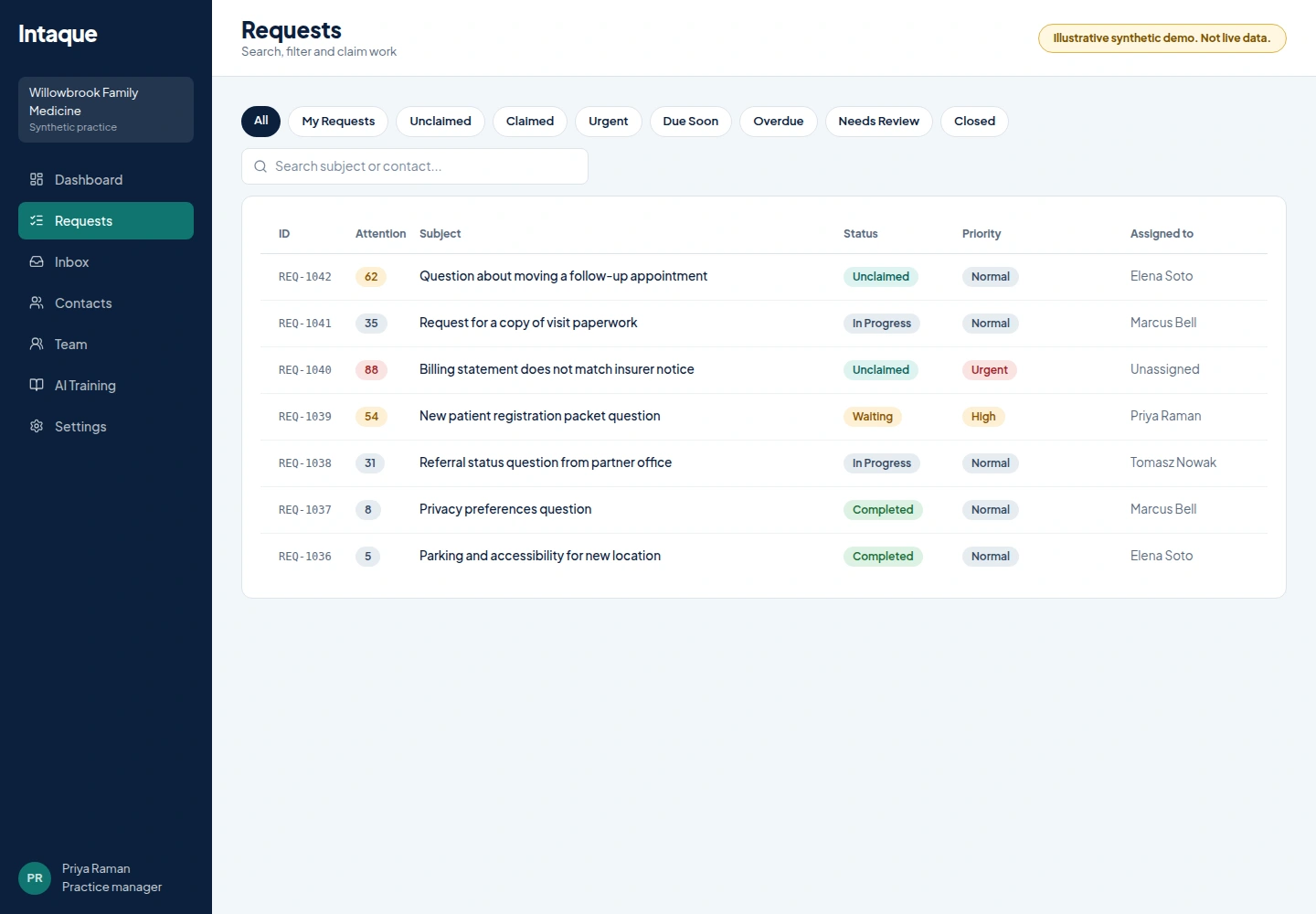
Illustrative Intaque request queue with views, attention score, status, priority and assignee columns for a synthetic medical practice
Request queue. Every inquiry has a status, a priority and a named owner, with views and filters for the queue each team works from. Illustrative synthetic demo, not live data.
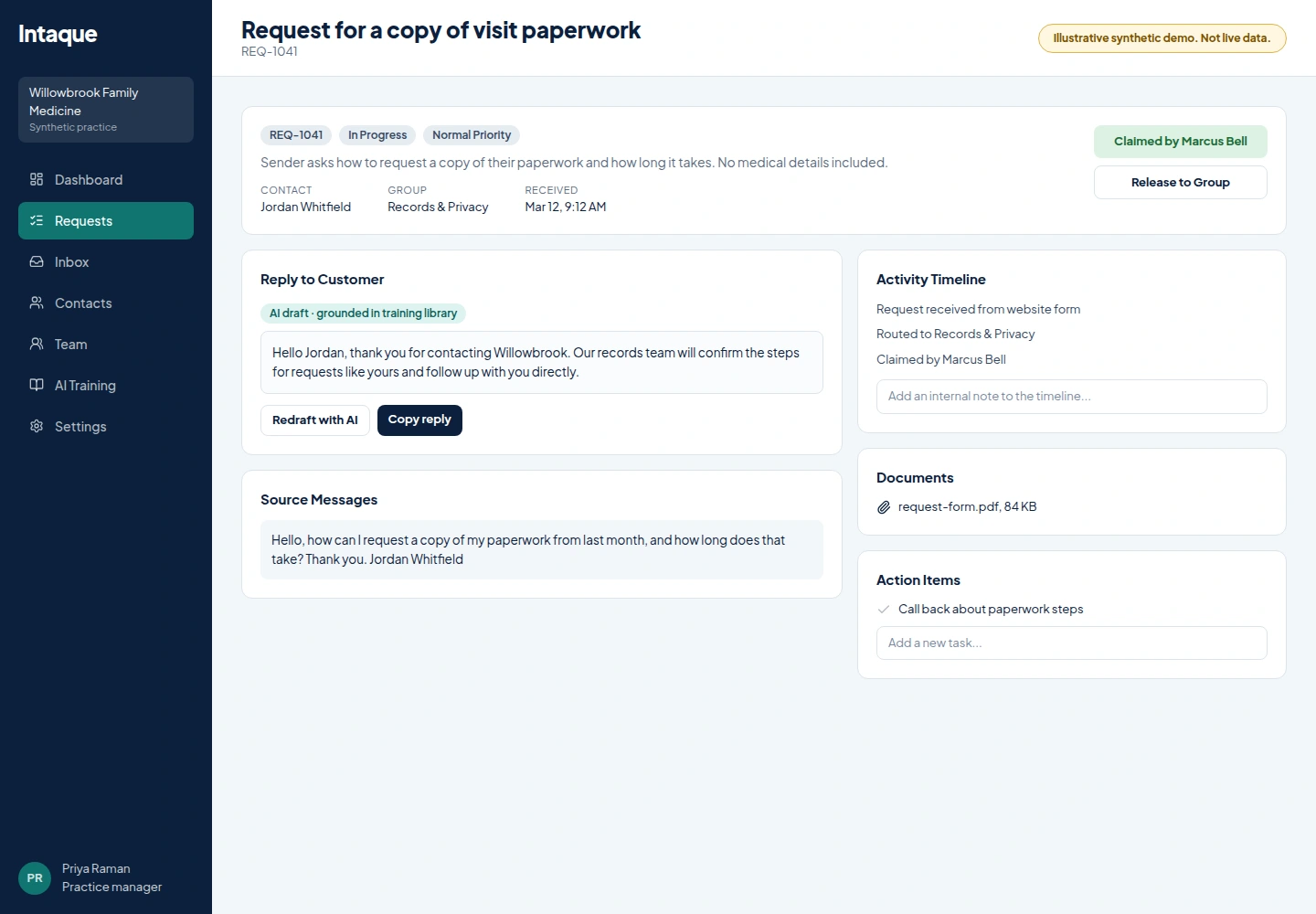
Illustrative Intaque request detail with summary, claim and release controls, activity timeline and a copy-only AI reply draft
Request detail. Staff see the summary, source messages, activity timeline and a copy-only AI draft in one place, then claim the request. Illustrative synthetic demo, not live data.
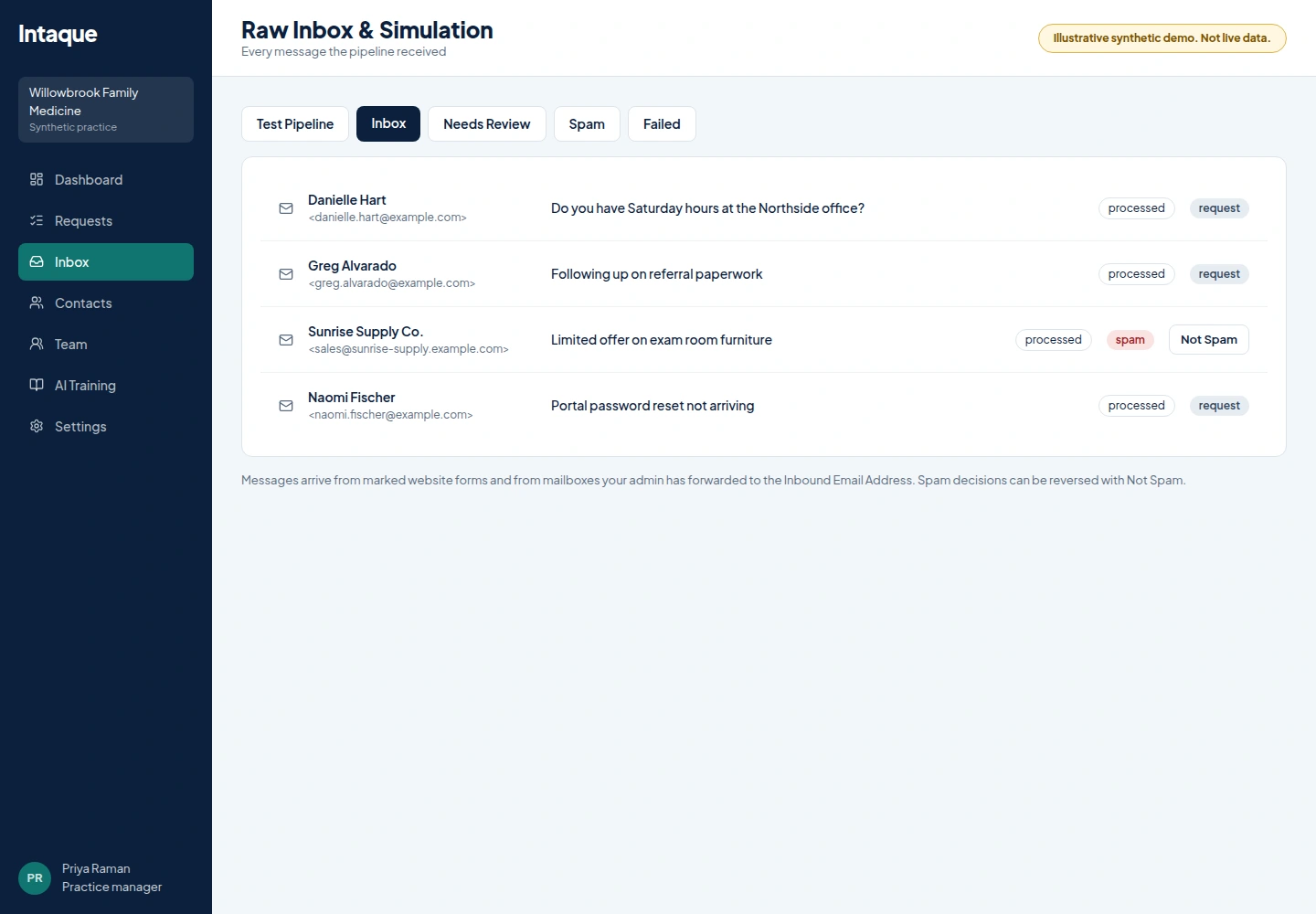
Illustrative Intaque inbox raw inbox tabs, sender details and spam classification
Inbox and spam screening. Every message the pipeline received is listed with its status and classification; spam decisions can be reversed with Not Spam. Illustrative synthetic demo, not live data.
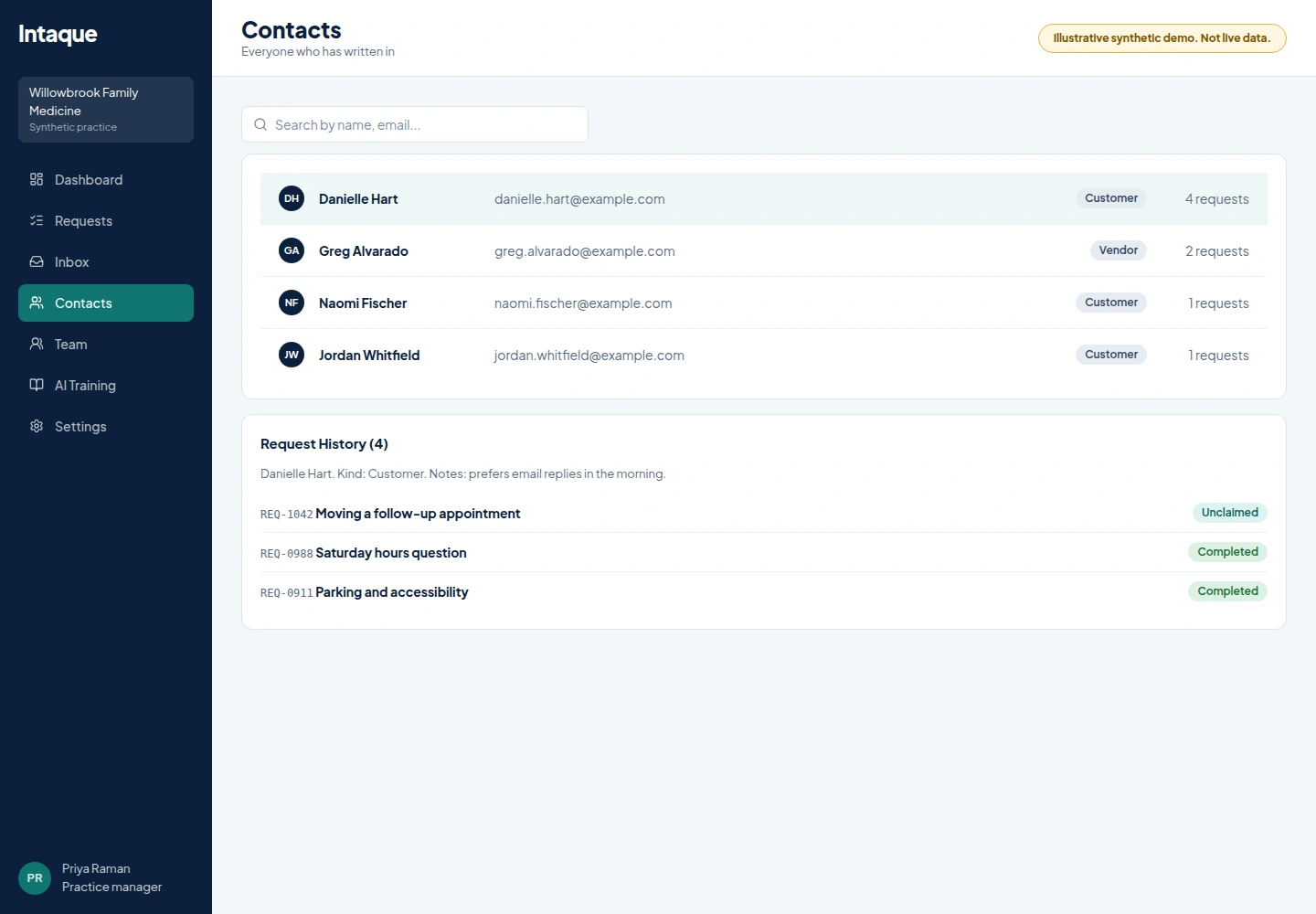
Illustrative Intaque contacts list and request history for synthetic contacts
Contacts and history. Search contacts and see every earlier request, so the next person never starts from zero. Illustrative synthetic demo, not live data.
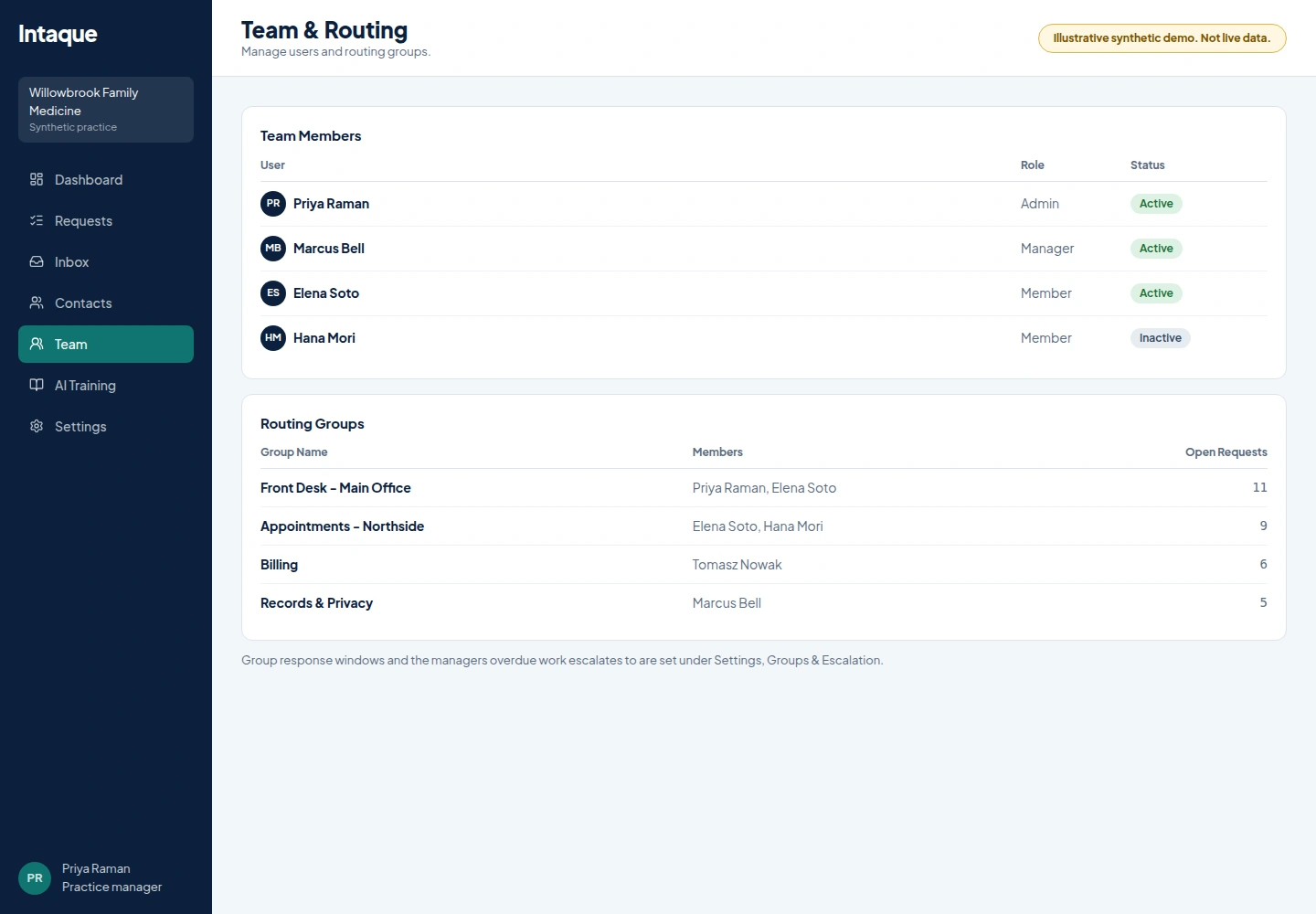
Illustrative Intaque Team and Routing page with team members and routing groups
Office groups and routing. Team members and routing groups sit side by side, with open request counts per group. Illustrative synthetic demo, not live data.
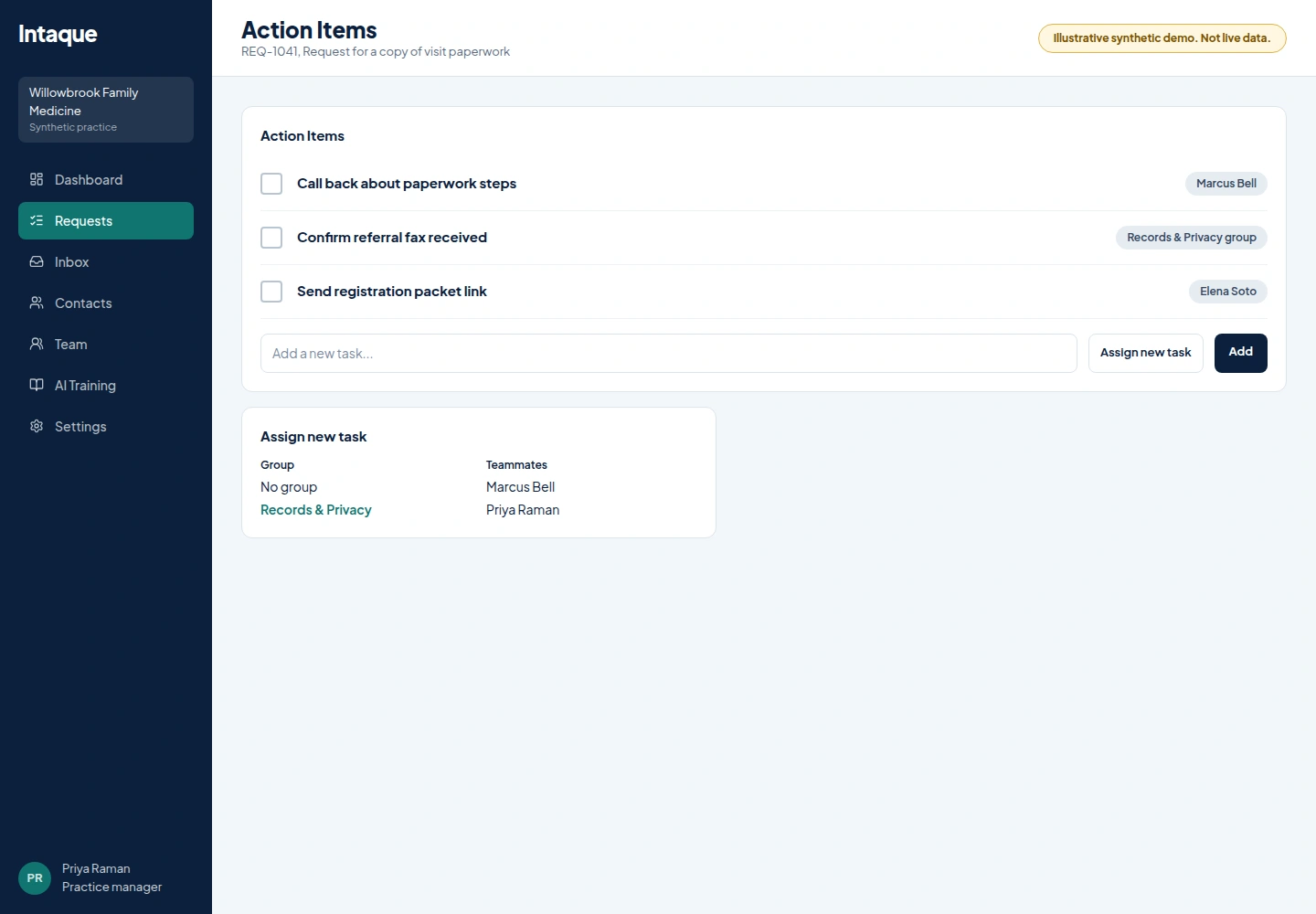
Illustrative Intaque request action items with assignment options
Follow-up tasks. Action items on each request can be assigned to teammates or a group. Illustrative synthetic demo, not live data.
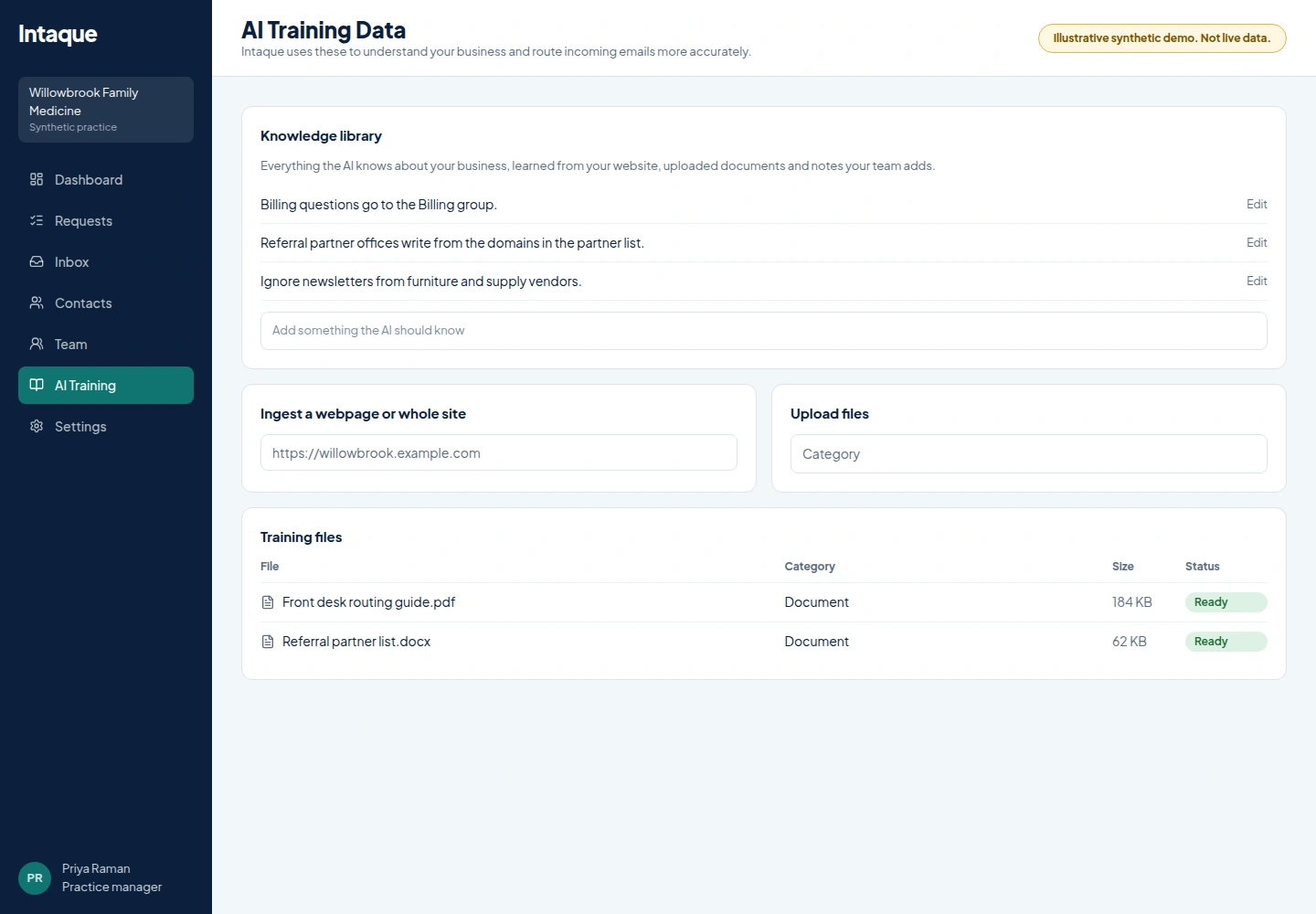
Illustrative Intaque AI Training Data page with knowledge library, website ingest and training files
Company knowledge. Give the AI your website, documents and team notes so routing and drafts reflect how your offices work. Illustrative synthetic demo, not live data.
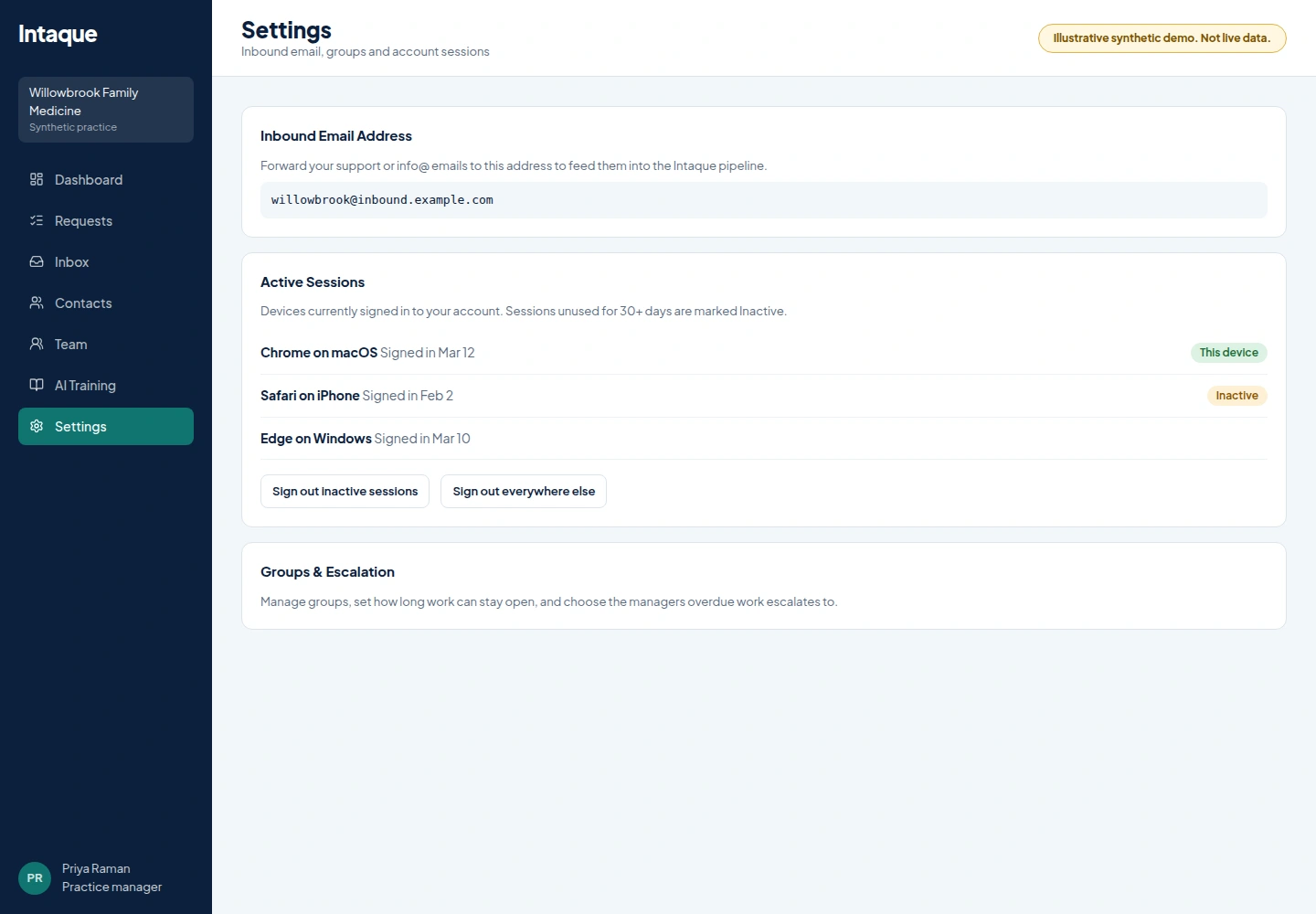
Illustrative Intaque Settings view with inbound email address, active sessions and groups and escalation
Sessions and account controls. Active Sessions shows every signed-in device, with one-click sign-out for inactive sessions or everywhere else. Illustrative synthetic demo, not live data.
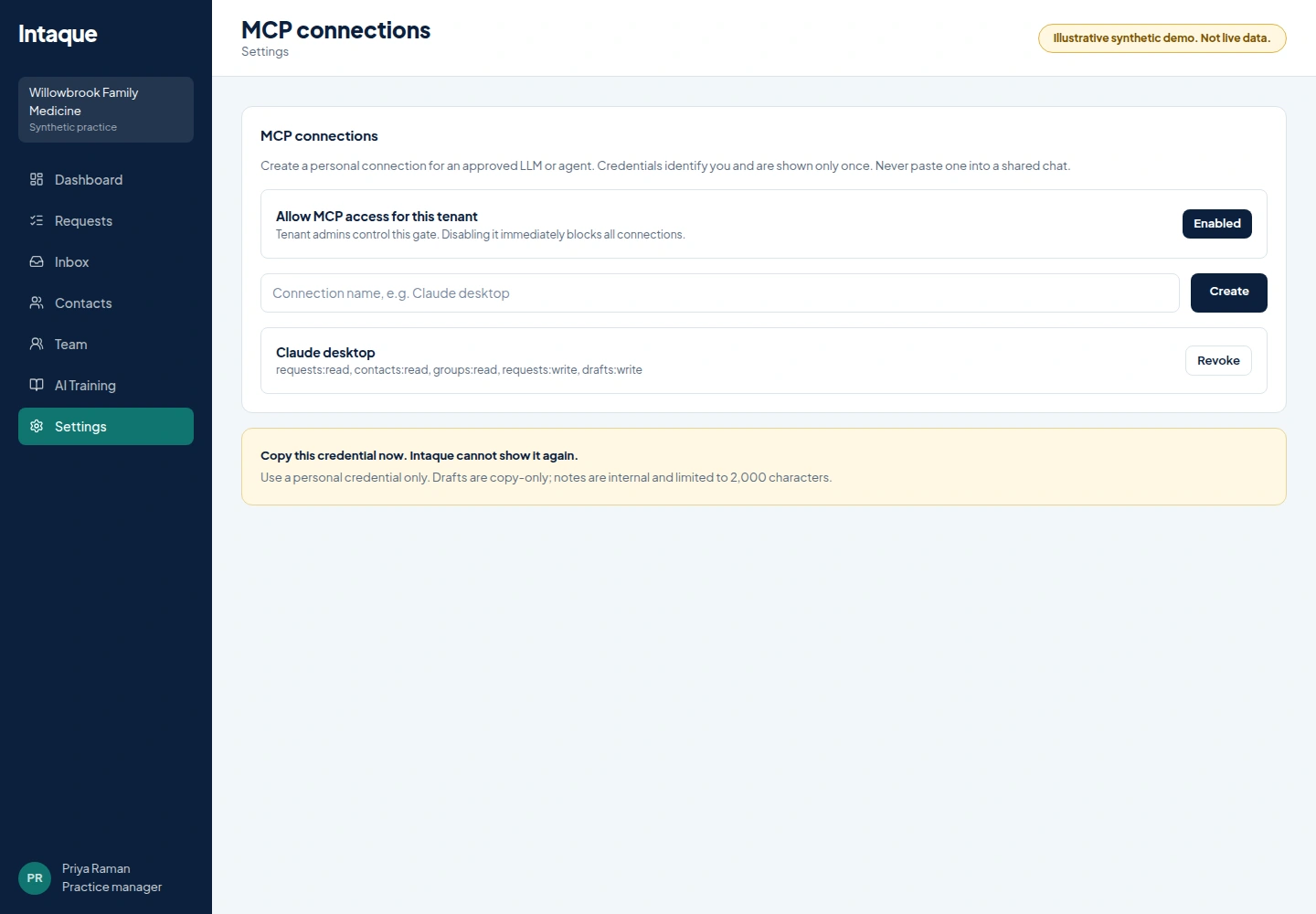
Illustrative Intaque MCP connection settings showing per-user scopes and copy-only drafts
Scoped MCP access. Admins allow MCP access, users create personal connections with bounded scopes, and drafts stay copy-only. Illustrative synthetic demo, not live data.

Give every inquiry an owner by Monday.

Connect a form, set up your office groups and let your team see what needs them next.