Features
Everything your team needs to own the inbox.
Ten parts of one workflow, each shown below in an illustrative synthetic demo for a fictional family medicine practice.
Click any screenshot to open the full-resolution image in a new tab. You can then zoom in for a closer look.
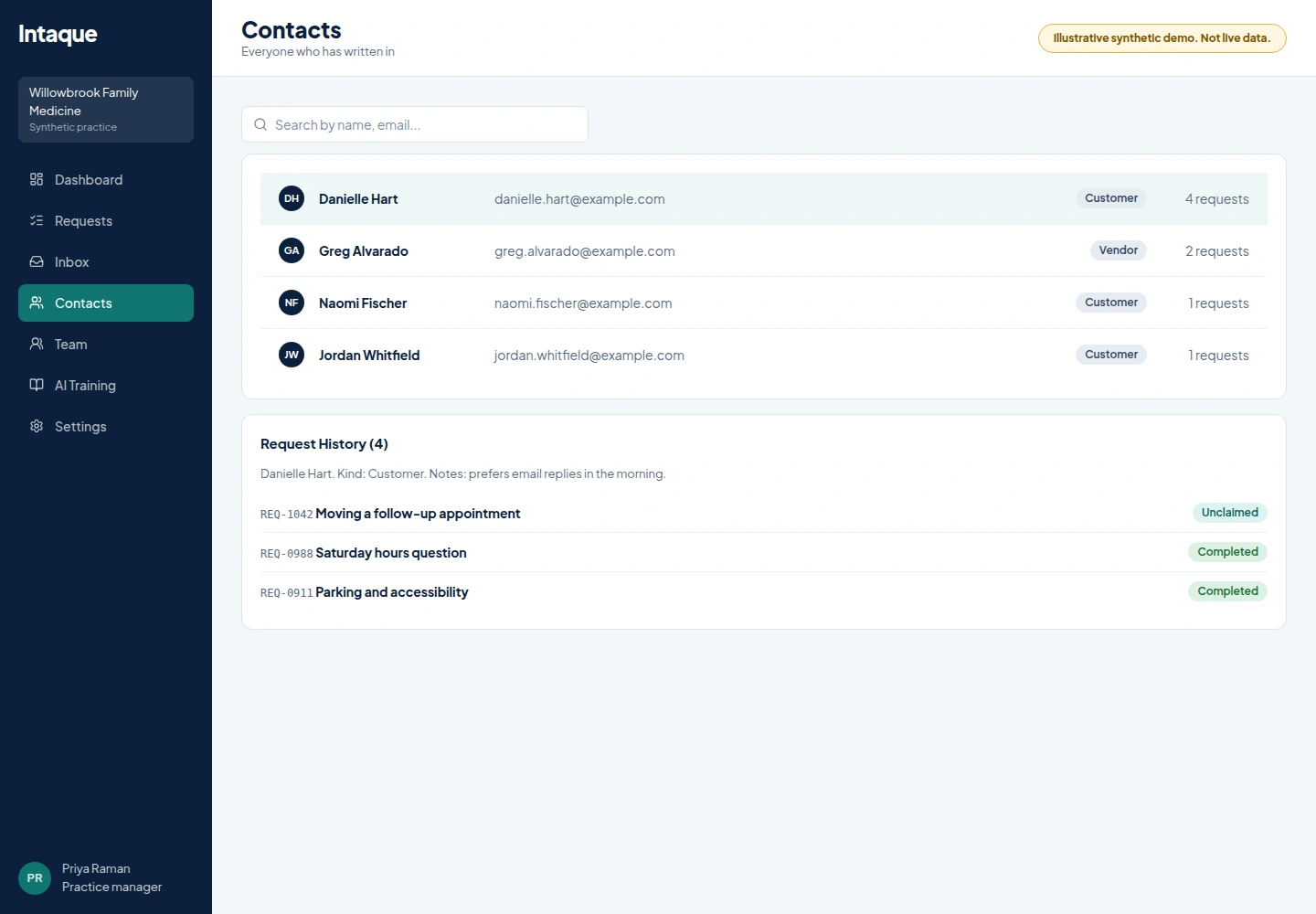
Capture
Bring in only what you chose to connect.
Mark opted-in website and landing-page forms for capture, with sensitive fields redacted. Add forwarding for specific mailboxes. It is not an arbitrary catch-all.
- Contact forms or requests from your website are routed, assigned, managed, and tracked with total visibility and auditing through the whole process
- Email mailboxes forwarded for generic business mailboxes like [email protected], [email protected], [email protected] and [email protected]
- AI spam screening with a review tab and one-click correction
- Email thread, source history and attachments kept with the message
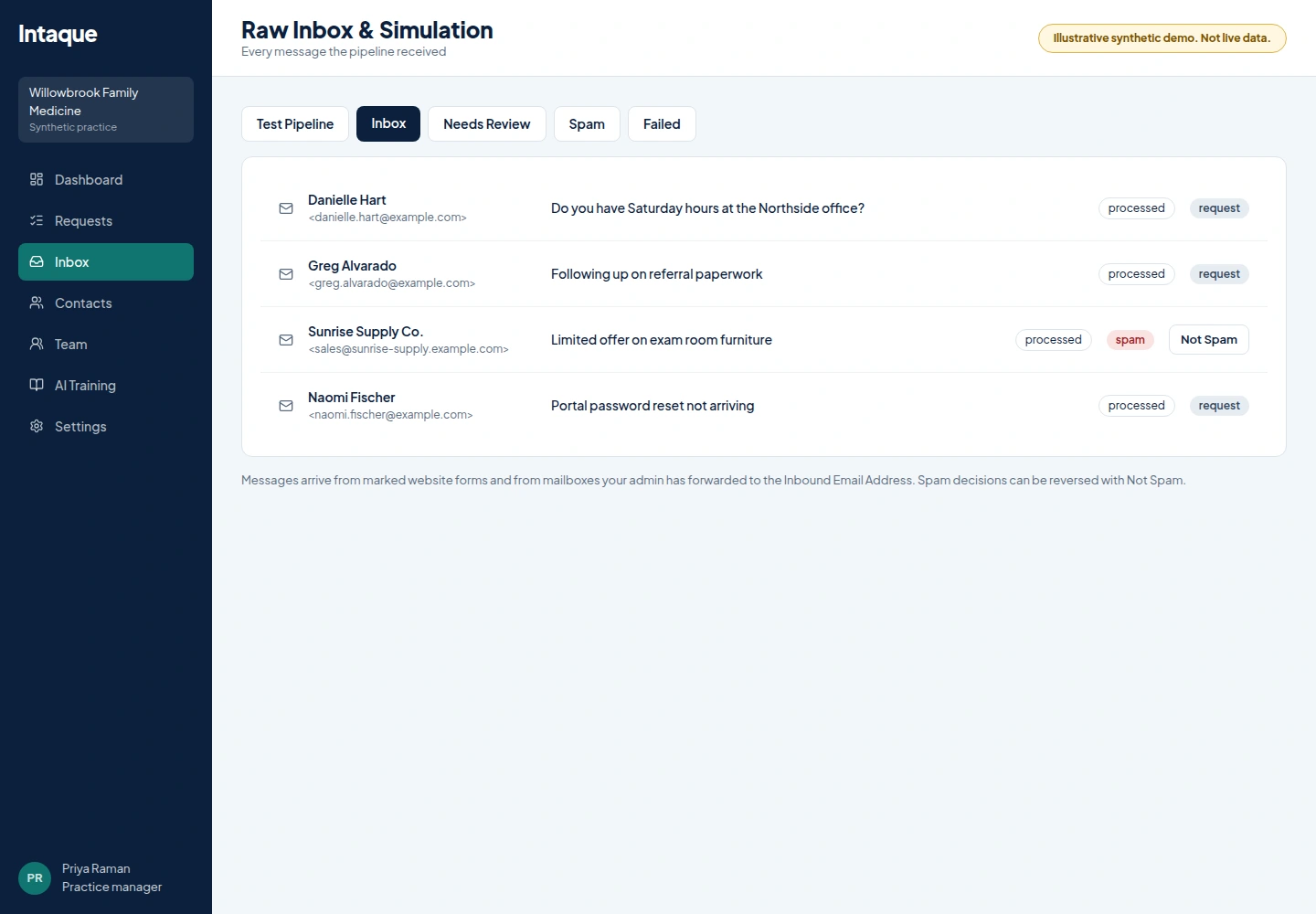
Requests
A queue where nothing is nobody's.
Each real inquiry becomes a request with a status, a priority and an owner. Staff claim or release work, share it with several assignees and leave internal notes.
- Search and filter by status, group, priority and assignee
- AI summary, category and urgency, always editable by staff
- Copy-only reply drafts. Intaque never sends to a contact
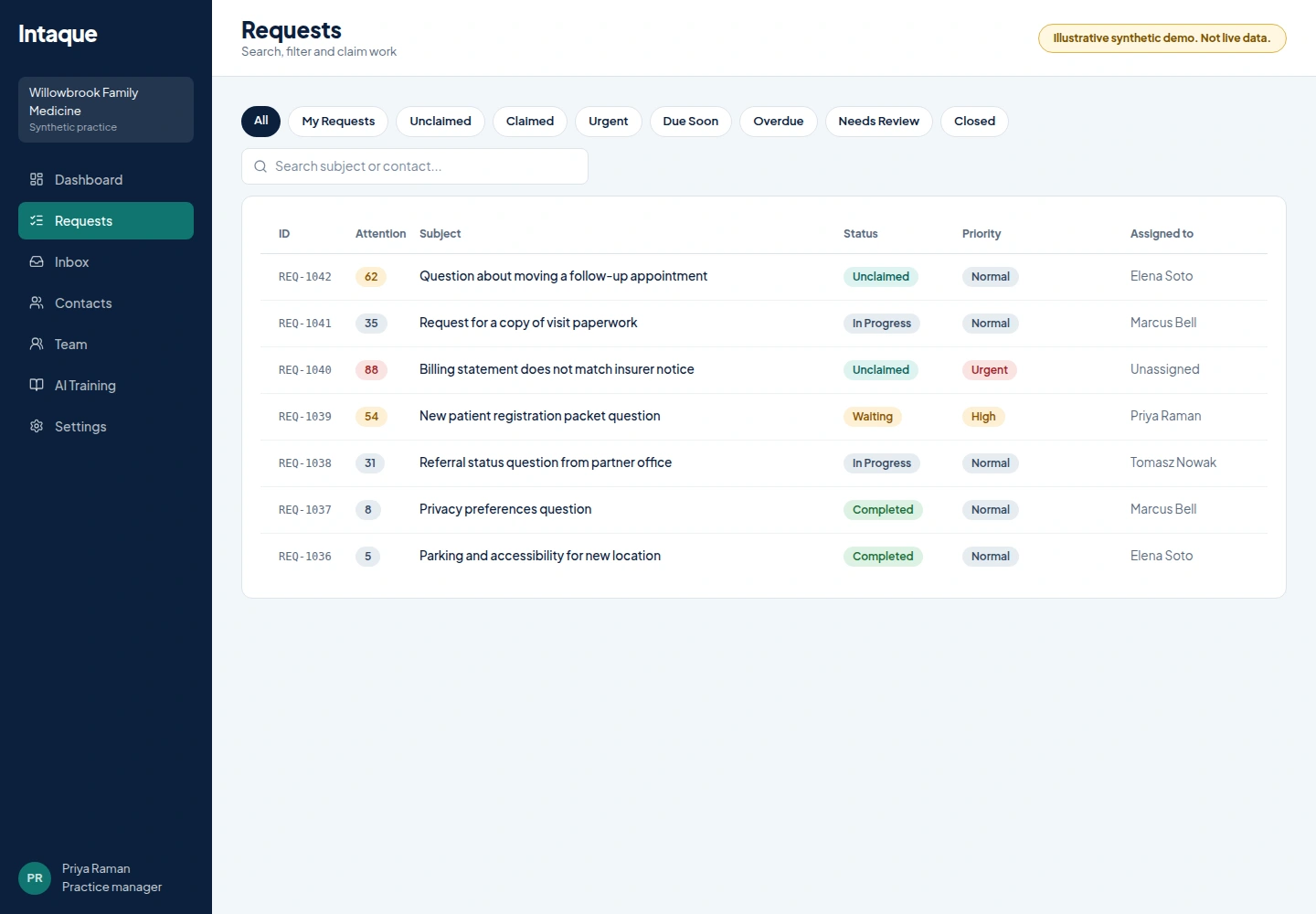
Request detail
Everything needed to answer, on one screen.
The summary, the original message, attachments, notes and history sit together so the person who claims it can act immediately.
- Multiple assignees and internal notes
- Customer-visible history separated from internal discussion
- Copy a prepared draft and send it from your own channel
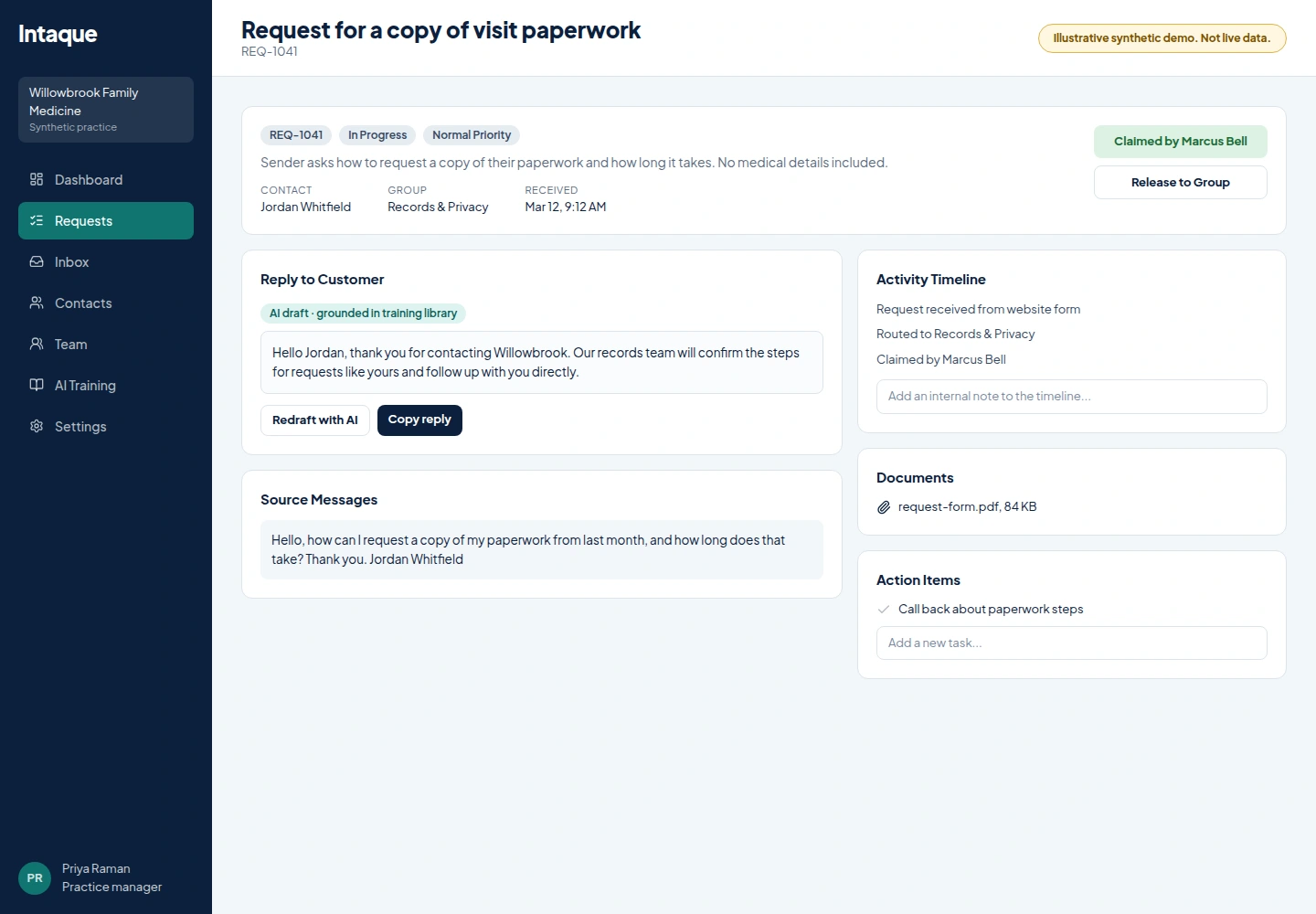
Contacts
Know who has asked before.
Search contacts, open their details and review every earlier request so context follows the person.
- Search by name, email or organization
- Request history per contact
- Reading contacts available to approved MCP users
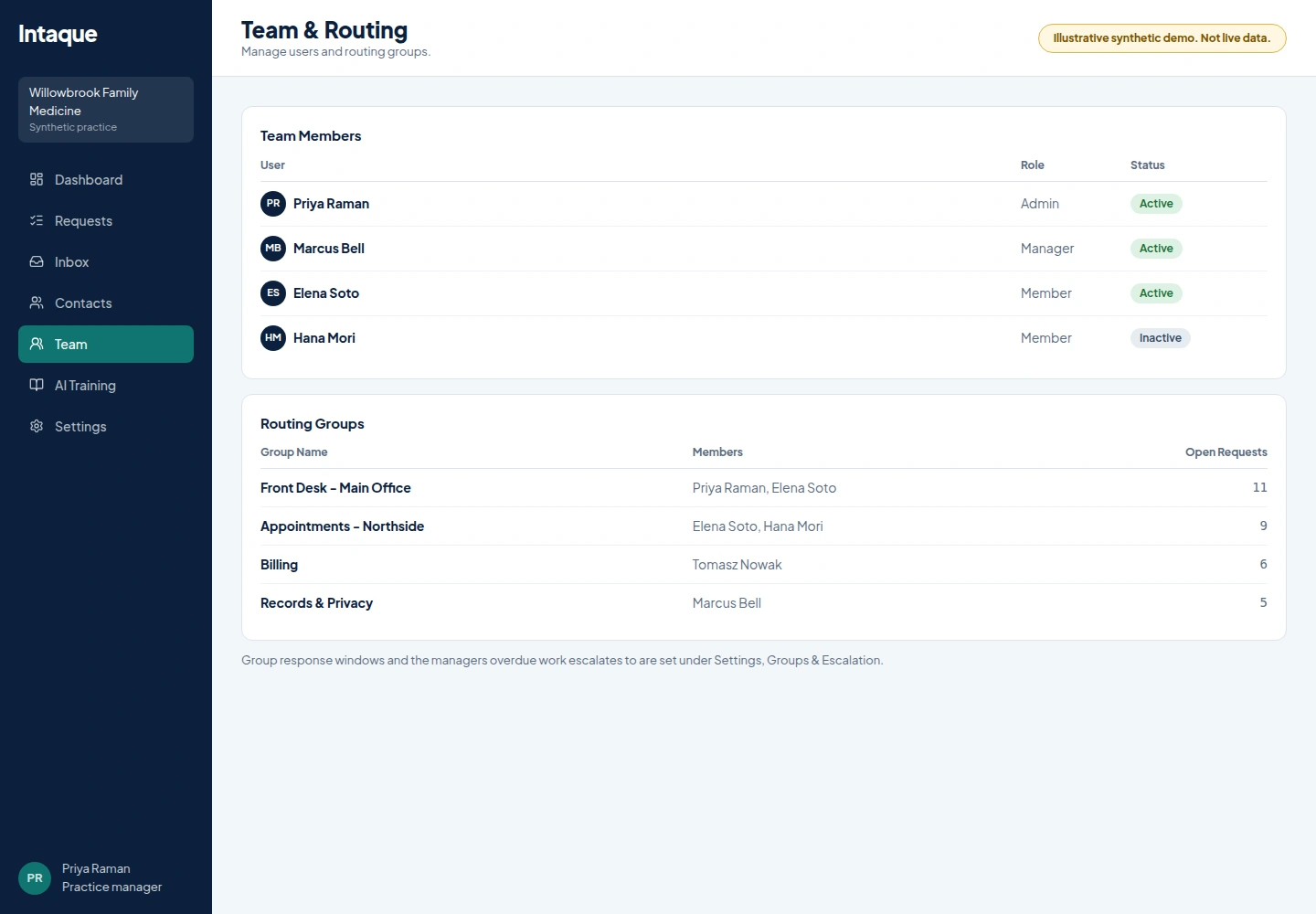
Groups and routing
Model each office as a group.
Create a group per office team or function. Set managers, members, auto-assignment, round robin and user availability. Unlimited offices are supported by organizing groups; there is no separate office module.
- Normal and urgent SLAs per group, with manager escalation
- Offer to all available members or rotate with round robin
- Availability means eligible for new work, not hours worked
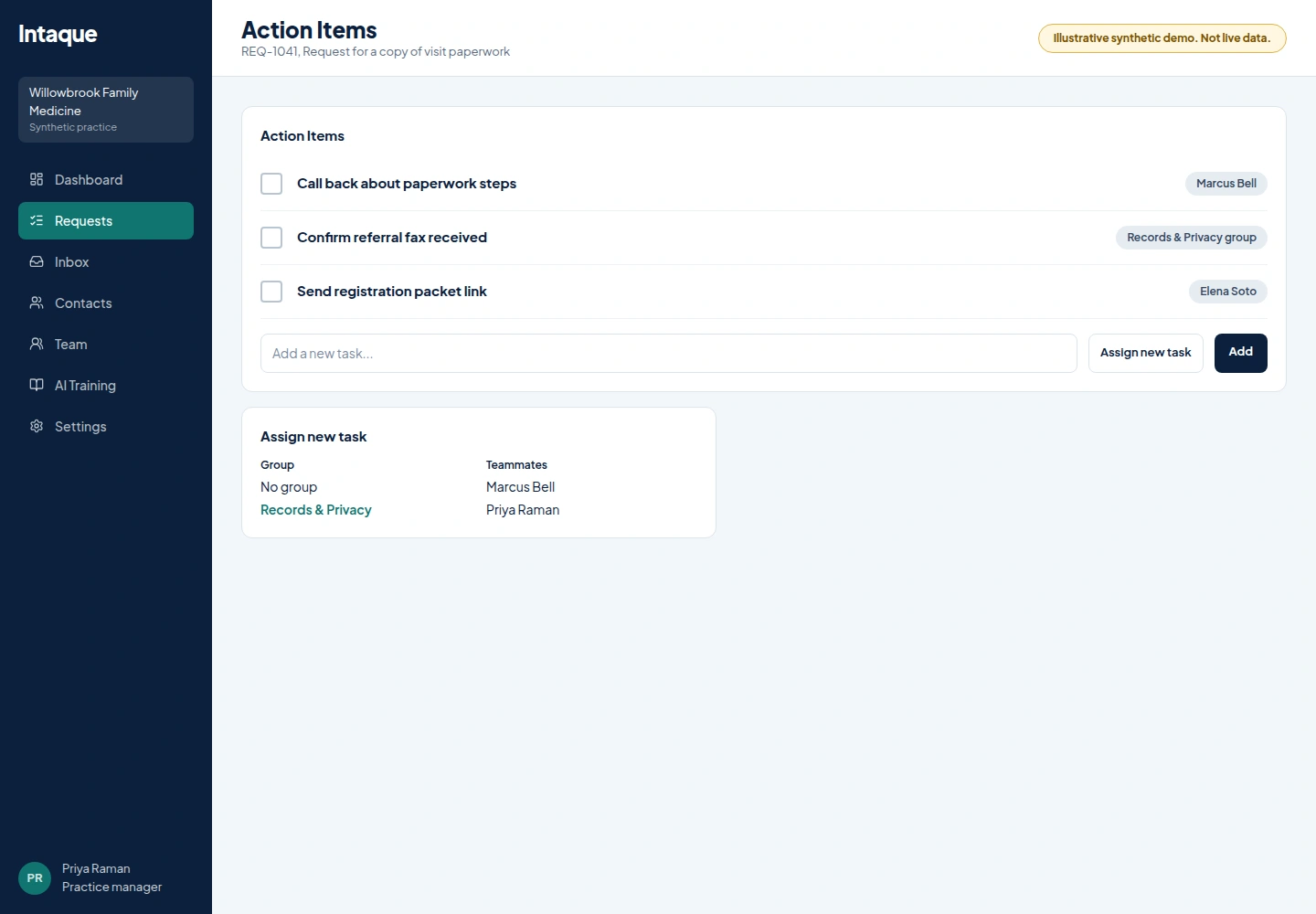
Follow-up tasks
Turn the next step into someone's task.
Assign a follow-up to a person, or to a group and let Intaque offer it. Due dates and group SLAs escalate overdue work to managers.
- Task offers for group-only tasks; explicit assignments stay manual
- In-app and staff-email alerts, no SMS
- Overdue tasks surface in the Control Center
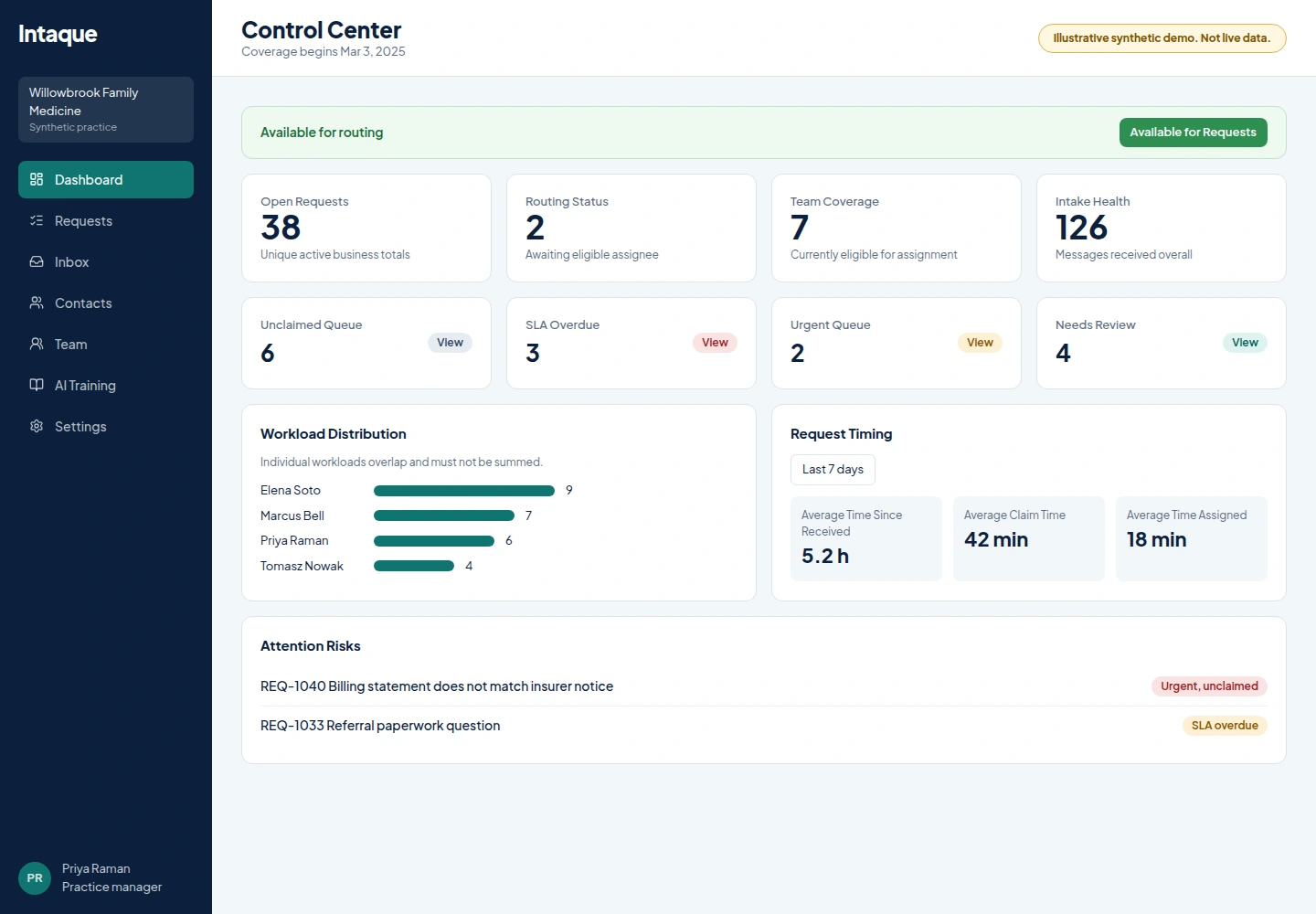
Control Center
See coverage and risk before it becomes a complaint.
Managers see workload, availability, unclaimed and overdue queues, and request analytics for receipt, claim and close timing.
- Open requests counted once; workloads can overlap by design
- Attention risks point to the exact request
- Timing over a day, 7, 30 or 90 days
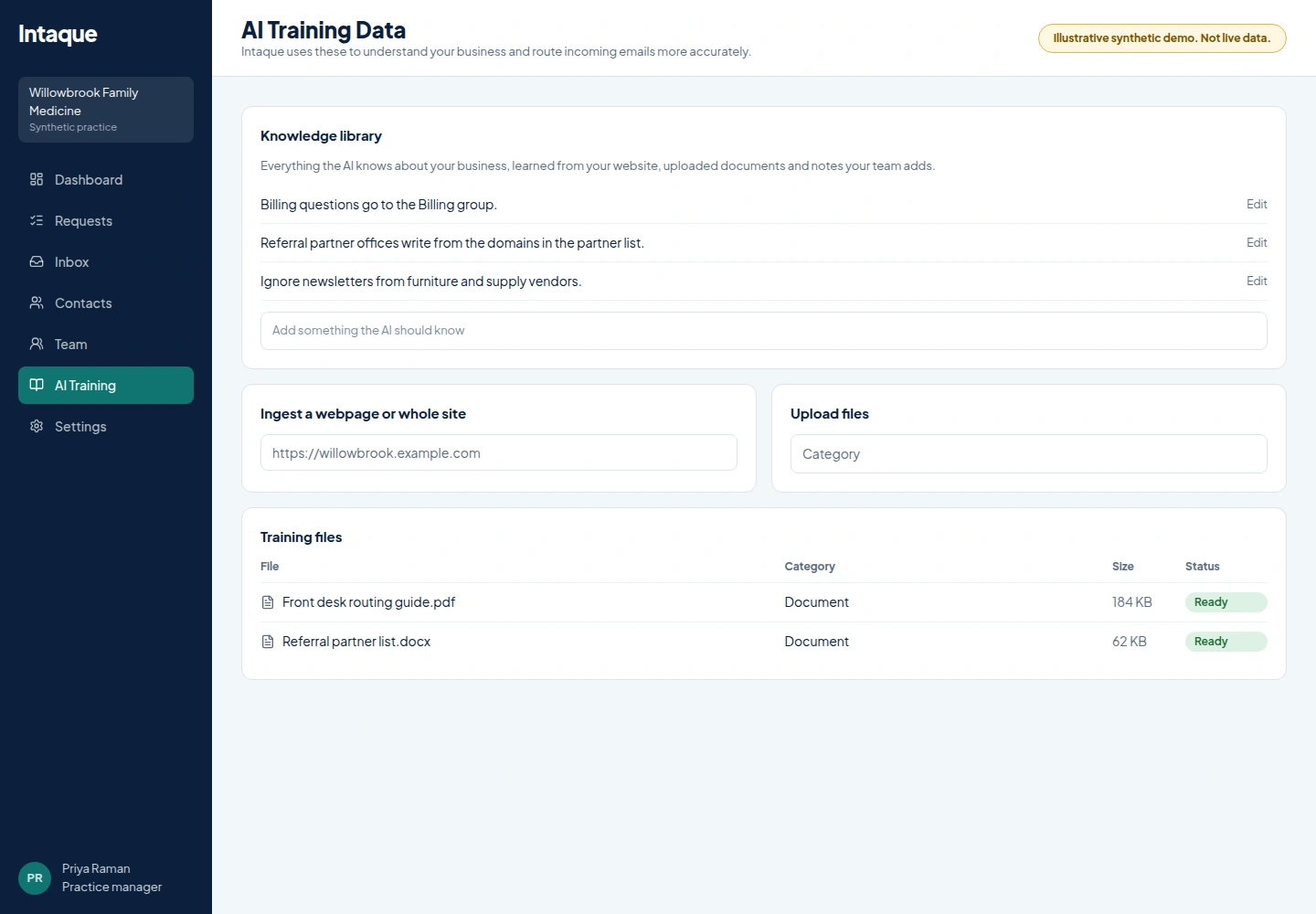
Company knowledge
Teach routing how your practice works.
Add your website content and upload reference files. Set tenant-aware business context, timezone and branding. This gives AI reference material; it does not retrain a general model.
- Reviewed website knowledge
- Uploaded reference files
- Context used alongside your actual groups
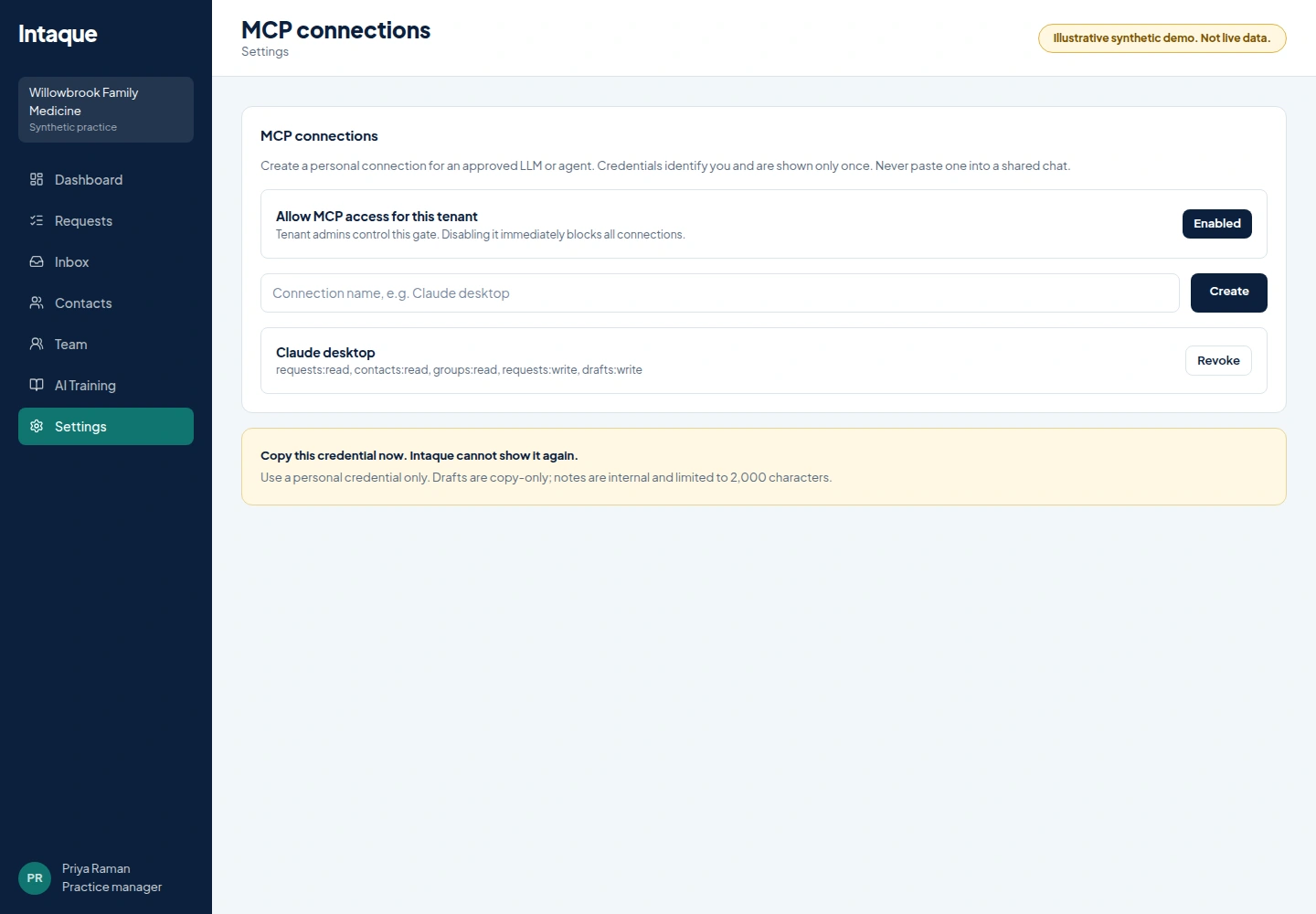
MCP
Let approved people use their assistant, on a short leash.
Admins enable MCP per user with bounded scopes: read contacts, requests and notes, add notes, or prepare copy-only drafts. Nothing is sent to a contact.
- Per-user, admin-enabled connections
- Scopes limit what each connection can do
- Actions are audit-logged
Security
Controls a practice manager can explain.
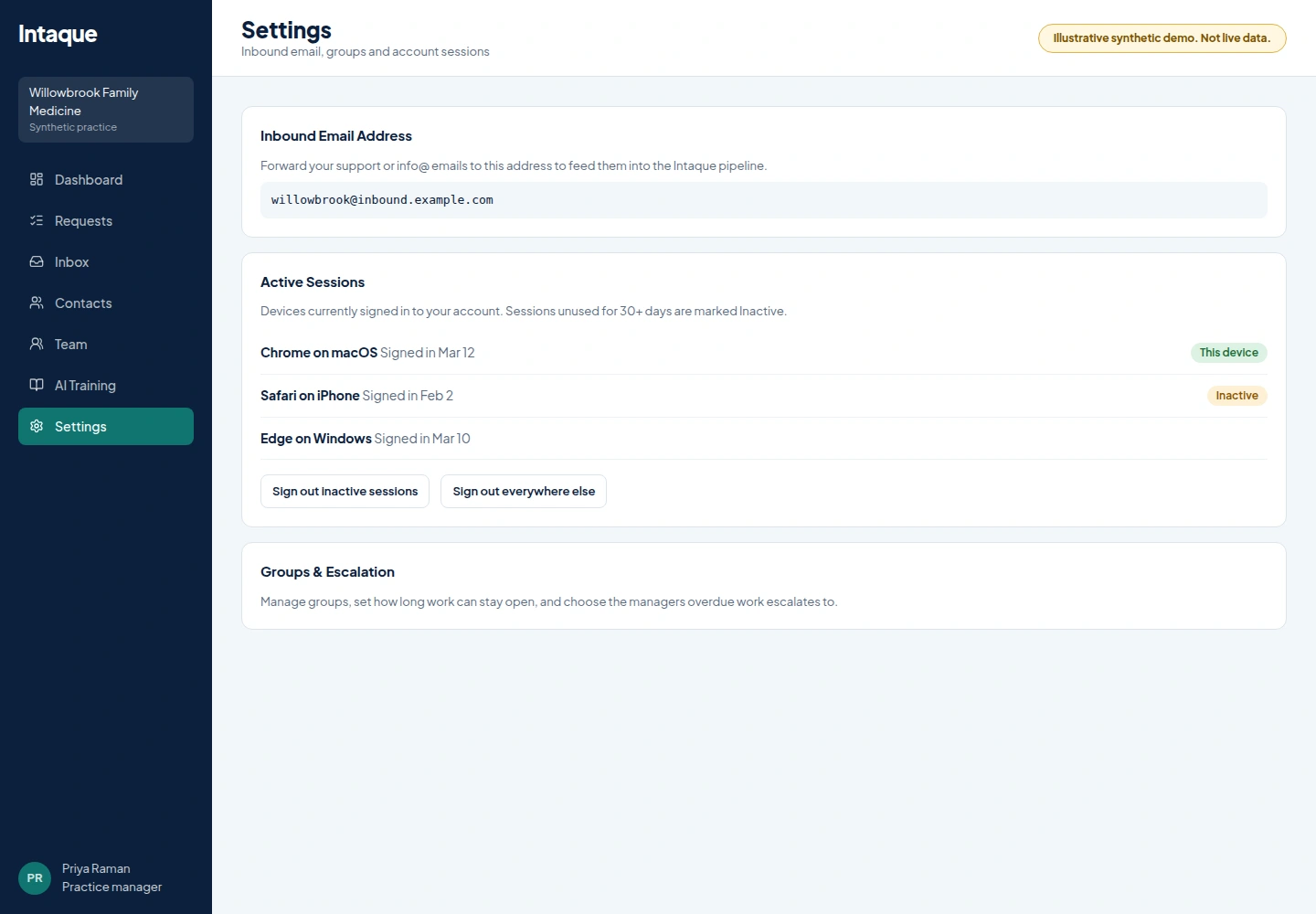
Two-factor authentication (2FA) protects sign-in. Role-based security lets each tenant assign different roles to its users. Sensitive data is encrypted in the database and at rest, and HTTPS secures communications. Audit logs record the actions of users, AI and developers for audit and security purposes. Human guardrails require approval for all AI actions. Intaque.com uses the OpenAI API with a signed BAA for additional security and safety when handling PHI. Intaque.com is HIPAA compliant. Before handling protected health information (PHI) through Intaque, medical practices must sign a Business Associate Agreement (BAA) with Inspection-Ready Institute, Inc., DBA Intaque.com, for the required legal protections and HIPAA/HHS compliance. Intaque.com encourages medical practices handling PHI through email or their website to review this agreement with their legal counsel before signing. Contact [email protected] to request a copy of our Business Associate Agreement.
- 2FA (two-factor authentication) and role-based security
- Encrypted data, HTTPS and audit logs
- AI security with human approval guardrails and a signed OpenAI BAA
Intaque manages the operational side of inquiries. It is not an electronic health record, emergency triage or clinical decision software. Ask visitors not to submit urgent medical needs through web forms.
MCP in practice
Ask about the work. Stay in control of the response.
In Claude Code, Codex CLI or another compatible MCP client, an approved teammate with request-read scope can ask about queues in plain language. Later steps use the selected request’s ID. Drafting and notes require additional scope.
Find queue work
You ask
“Which requests are unclaimed? Show the next page too.”
Illustrative result
list_requests with queue: unclaimed returns a page of open, non-spam requests without owners, plus nextOffset when there are more.
Check missed deadlines
You ask
“Which open requests are overdue on their SLA?”
Illustrative result
list_requests with queue: overdue returns open requests past their assignment-based SLA deadline, page by page.
Search requests
You ask
“Find requests mentioning a patio estimate.”
Illustrative result
REQ-1042 · Patio estimate request · Open · Urgent. Summary: Customer asked for a revised quote.
Review a request
You ask
“What happened on that request? Give me a short handoff.”
Illustrative result
REQ-1042 was received this morning. The timeline includes a note about measurements and a later message with revised dimensions.
Prepare a draft
You ask
“Draft a reply to that patio estimate request for me to review. Don't send it.”
Illustrative result
Draft: “Thanks for sending the updated dimensions. We'll review them and follow up with a revised estimate.” Delivery: copy only; no email sent.
Fictional examples, not live customer data. Request results are paged (up to 100 per page); queue and status filters use request fields and SLA deadlines, not keyword matches. Access must be enabled by an admin, is tied to a user and granted scopes, and is audited. Intaque never sends the drafted reply to a customer.
Common questions
Frequently asked questions
Does Intaque send replies to contacts?
No. AI prepares copy-only drafts, and staff send final replies from their own channels, including when using MCP.
How are multiple offices handled?
Each office team is a group with its own members, managers, assignment settings and SLAs. There is no separate office-management feature, and offices are unlimited.
What does availability mean?
Eligibility for new assignments. It does not measure hours worked.
Who is alerted when work is overdue?
Active group managers receive in-app and staff-email alerts; tenant admins are the fallback when a group has no active manager.
Give every inquiry an owner by Monday.
Connect a form, set up your office groups and let your team see what needs them next.